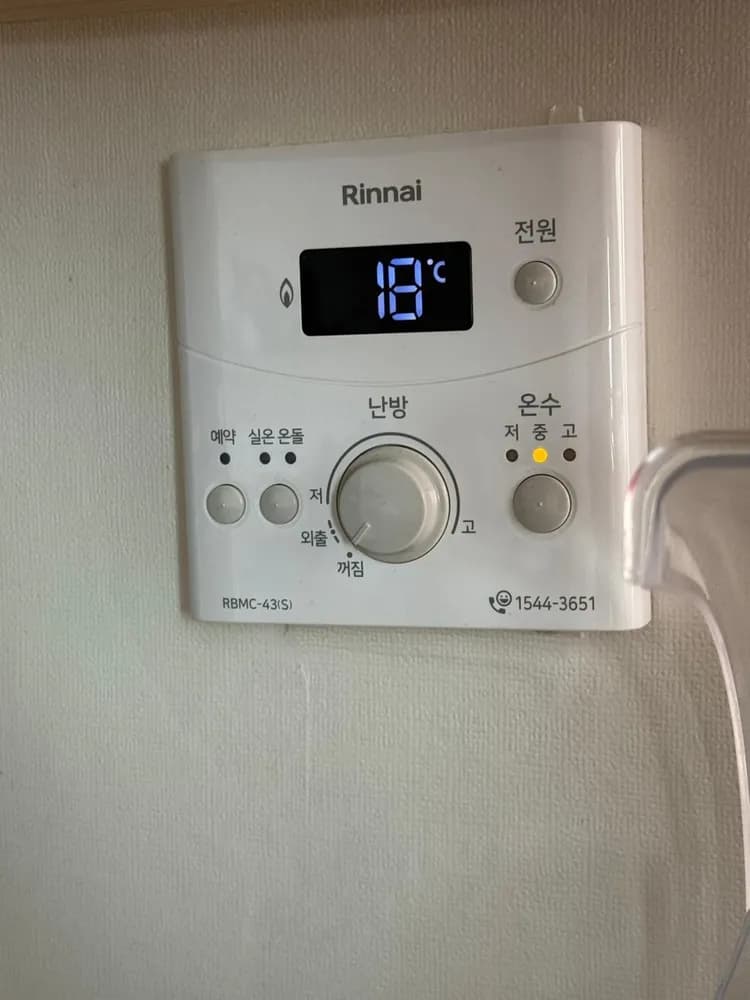
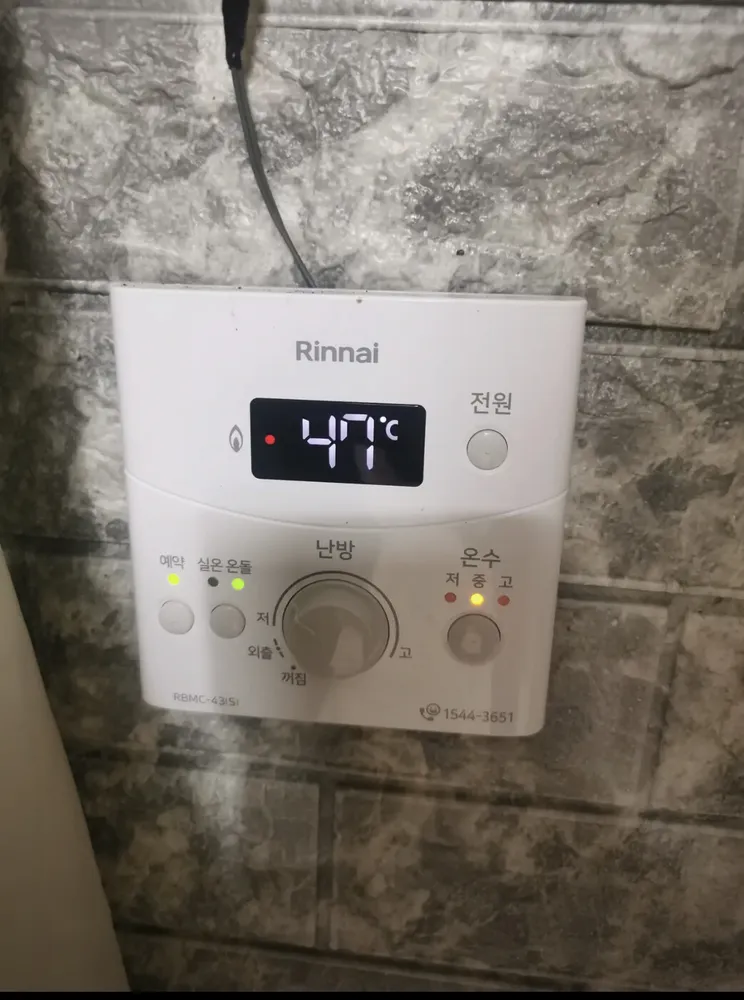
Rinnai RBMC-43 in English

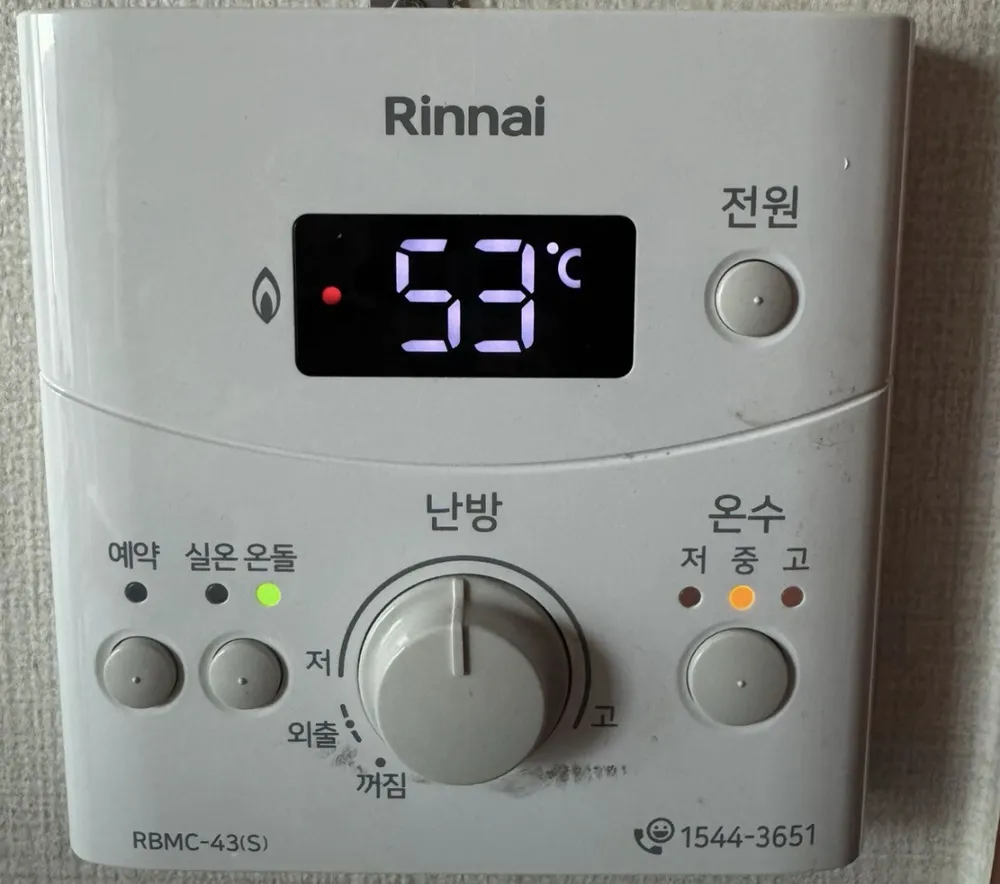
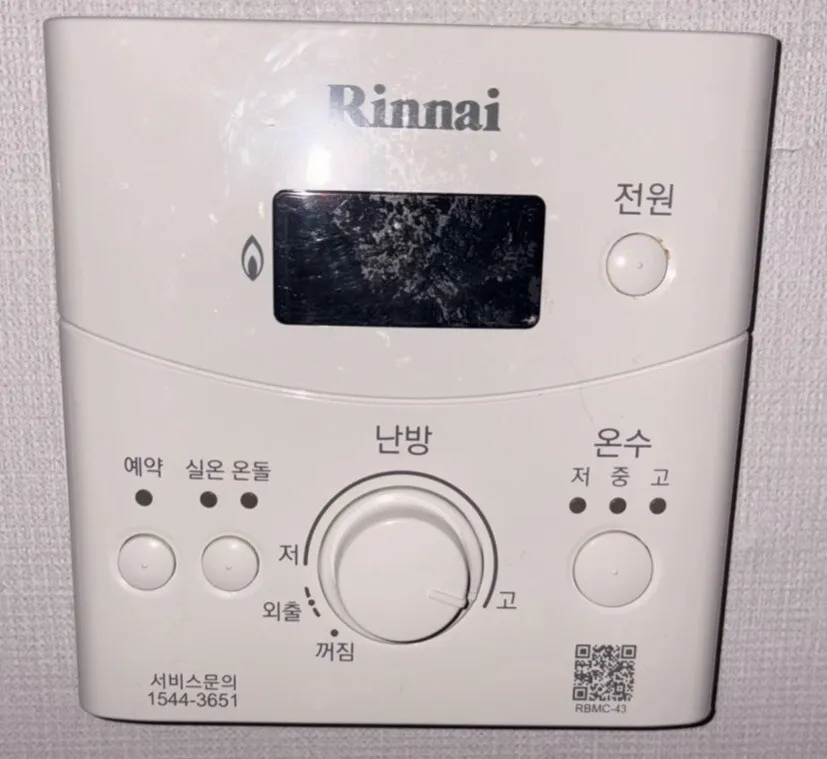
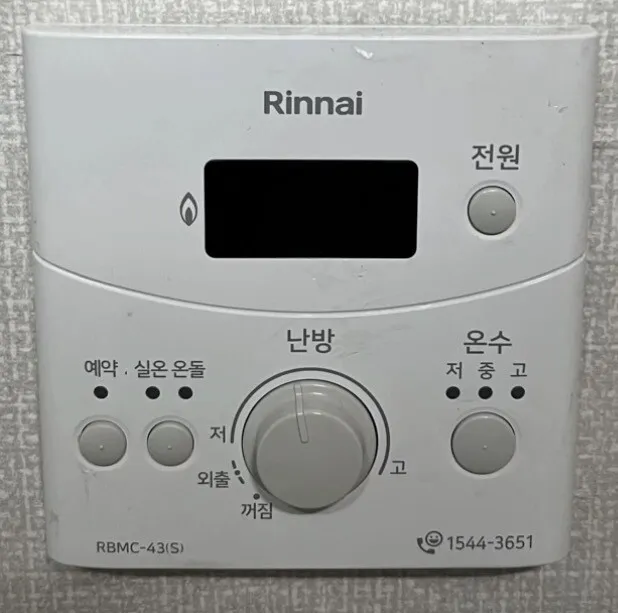
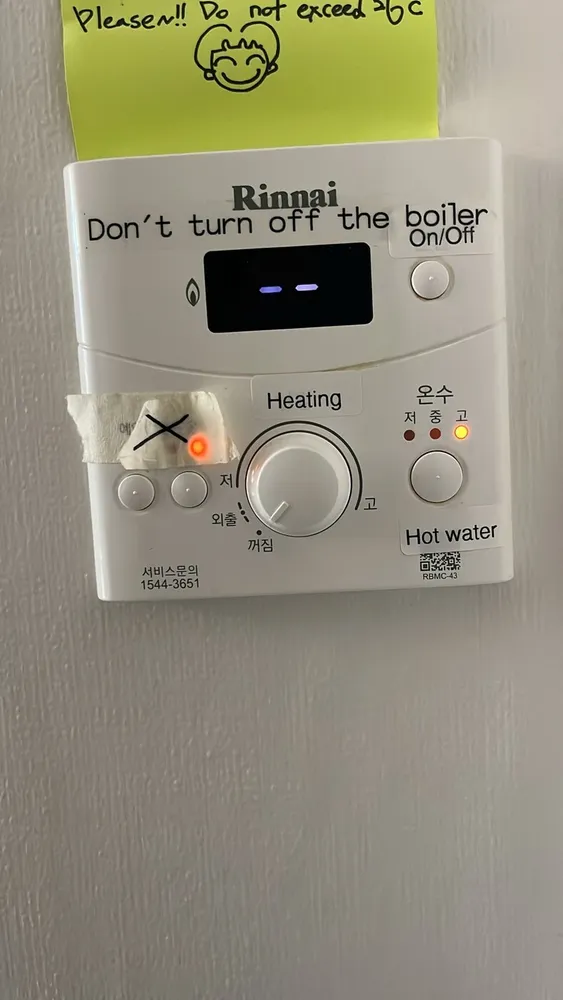
A simple Rinnai panel with one big heating dial (저 low to 고 high), a 실온/온돌 mode button, a 예약 timer button and a hot-water button that steps 저/중/고.
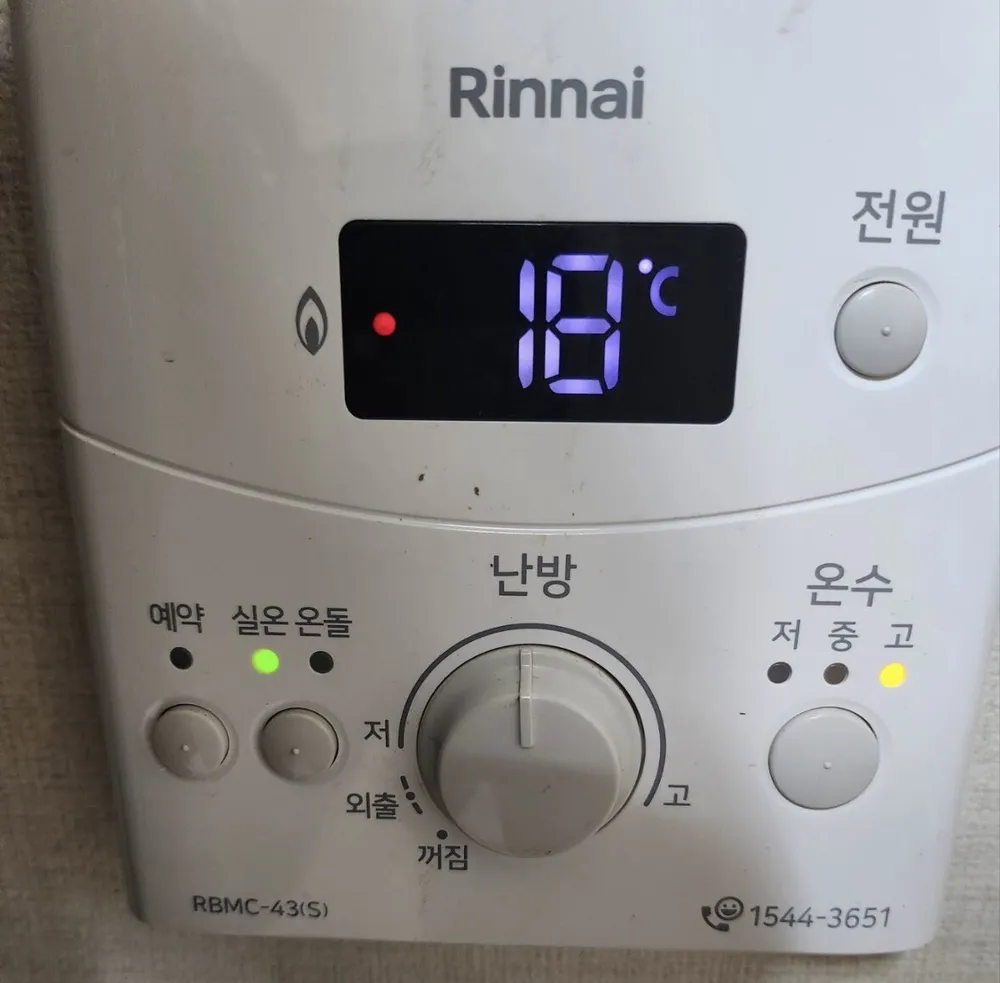
What does each button do?

Rinnai RBMC-43 boiler control panel in a Seoul home
  1. 1Burner lamp · 연소 (불꽃 표시)yeonsoThe flame icon and red dot show the burner is firing right now. Off means the boiler is resting, which is normal.
  2. 2Temperature screen · 온도 표시부ondo pyosibuShows a temperature in °C. When you turn the dial it shows the target you are setting; while 예약 is chosen it shows the timer interval (30, 1h, 2h, 3h, 4h).
  3. 3Power · 전원jeonwonTurns the whole controller on or off. When on, the 실온 or 온돌 lamp lights. Off stops heating and hot water.
  4. 4Timer · 예약yeyakRepeat-heat timer. Each press steps 30 min → 1 h → 2 h → 3 h → 4 h → off. The boiler then heats for 20 minutes once every chosen interval.
  5. 5Room / Floor mode · 실온 · 온돌sil-on · ondolSwitches between room-air mode (실온: holds the air at your set °C, 5–40) and floor-water mode (온돌: heats the floor water to your set °C, 40–85). The lit lamp above shows which mode is active.
  6. 6Heating dial · 난방 (다이얼)nanbangTurn into the 저–고 arc to switch heating on and set the target. Further toward 고 = warmer.
  7. 7Low · 저jeoLow end of the heating range (about 5°C room / 40°C floor water).
  8. 8High · 고goHigh end of the heating range (up to 40°C room / 85°C floor water).
  9. 9Away · 외출oechulTurn the dial back past 저 to here for away mode: the boiler runs a minimum heat every 4 hours so pipes don't freeze.
  10. 10Heating off · 꺼짐kkeojimDial fully left = heating off. Hot water still works if a 온수 lamp is lit.
  11. 11Hot water · 온수 (저·중·고)onsu (jeo·jung·go)Each press steps hot water 저 → 중 → 고 → off. The lamp above shows the level; it blinks while hot water is running.
  12. 12Rinnai A/S · 1544-3651—Rinnai Korea service number.

What setting should I use?

실온 mode, dial set so the screen reads 22°C; 온수 on 중. Leaving for a day or more in winter: dial to 외출, not 꺼짐 or 전원 off.

How do I…?

Turn it on

  1. 1Press 전원 (top right). The 실온 or 온돌 lamp lights.
  2. 2Turn the 난방 dial into the 저–고 arc.

Heat the room to a set temperature

  1. 1Press 전원 if the panel is dark.
  2. 2Check the 실온 lamp is lit. If 온돌 is lit, press the 실온·온돌 button once.
  3. 3Turn the 난방 dial slowly toward 고 while watching the screen. Stop when it reads 22.
  4. 4The boiler fires only while the room is below 22°C. Silence after that is normal.

Use floor (ondol) mode

  1. 1Press the 실온·온돌 button until the 온돌 lamp lights.
  2. 2Turn the dial until the screen reads about 55–60 (°C floor water). Use 60–65 only in very cold weather or a badly insulated room.

Leave for a few days

  1. 1Turn the 난방 dial all the way back past 저 to 외출.
  2. 2The boiler now runs a minimum heat every 4 hours to protect the pipes.
  3. 3Back home: turn the dial back into the 저–고 arc.
  4. 4Away and 예약 cannot run together — pick one.

Run on a timer

  1. 1Turn heating on (dial in 저–고, set to your temperature).
  2. 2Press 예약. Each press changes the interval: 30 min → 1 h → 2 h → 3 h → 4 h → off.
  3. 3The boiler heats for 20 minutes once every chosen interval (e.g. 2 h = 20 min heat every 2 hours).
  4. 4To cancel: press 예약 again (first press shows the current interval, the next press cancels), or step through to off.

Hot water only (summer)

  1. 1Leave 전원 on.
  2. 2Turn the 난방 dial fully left to 꺼짐.
  3. 3Press 온수 until the 저, 중 or 고 lamp lights. Hot taps now work; rooms are not heated.

Change the hot-water temperature

  1. 1Press 온수: 저 → 중 → 고 → off.
  2. 2Stop on 중 for showers. 고 can scald — never switch to 고 while the shower is running.

Turn it off

  1. 1Short break: turn the dial to 꺼짐 (hot water still available).
  2. 2Full off: press 전원. In winter use 외출 instead so pipes can't freeze.

What do the words on the screen mean?

실온 램프Room lampRoom-air mode is active; the dial target is an air temperature (5–40°C).
온돌 램프Floor lampFloor-water mode is active; the target is the water temperature (40–85°C). In 온돌 mode the set value only shows while heating is on.
예약 램프Timer lampThe repeat timer is running.
30 / 1h / 2h / 3h / 4hTimer intervalShown on the screen when you press 예약: the gap between 20-minute heating bursts.
불꽃 + 빨간 점Flame + red dotBurner is firing.
온수 저/중/고 램프Hot water levelSteady = hot water on at that level. Blinking = hot tap is open and the boiler is heating water.
깜박이는 숫자 (11, 14, 16…)Blinking numberError code — see error help.

What trips people up on this model?

  • The dial has no numbers. Watch the screen while turning — it shows the target °C.
  • Turning the dial past 저 lands on 외출 (away), then 꺼짐 (off). Heat stops being 'normal' — check the dial sits inside the 저–고 arc.
  • Pressing 온수 one time too many turns hot water OFF (no lamp lit). Press again to get 저.
  • In 실온 mode the boiler stays silent once the room reaches the target. That's correct, not broken.
  • If the controller is near a window, heater or sunny spot, room-air mode misreads the room — Rinnai recommends 온돌 mode there.
  • While hot water is running, floor heating pauses.
  • Keep the boiler plugged in all winter; frost protection only works with power on.

It shows an error. Now what?

If the boiler stops and a number blinks on the screen, read the number. 11 = no ignition: check the gas valve on the pipe is open (handle parallel to the pipe), then switch heating off and on. 14 = overheat cut-out: wait up to 30 min, then switch on again. 16 = water overheating: open at least one floor-zone valve on the manifold and bleed air. Anything repeating: call Rinnai A/S 1544-3651. 35 = room sensor fault: switch to 온돌 mode and call A/S.

Service line (Korean): 1544-3651
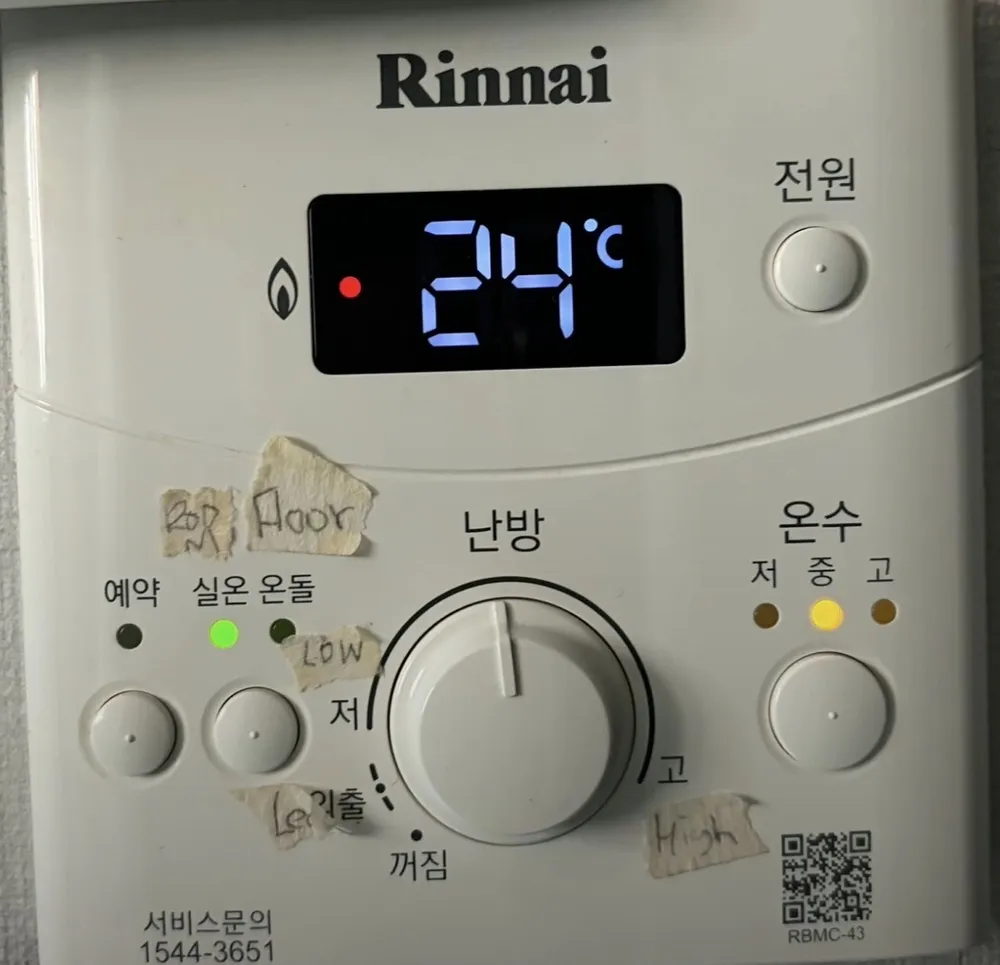
Rinnai RBMC-43 boiler control panel in a Seoul homeRinnai RBMC-43 boiler control panel in a Seoul homeRinnai RBMC-43 boiler control panel in a Seoul homeRinnai RBMC-43 boiler control panel in a Seoul homeRinnai RBMC-43 boiler control panel in a Seoul homeRinnai RBMC-43 boiler control panel in a Seoul homeRinnai RBMC-43 boiler control panel in a Seoul home

Other Rinnai panels

Read the full Korean heating guide →

Can't find your panel?

Send one photo. We reply with your panel in English.

By sending, you agree to our Privacy Policy.

Sources