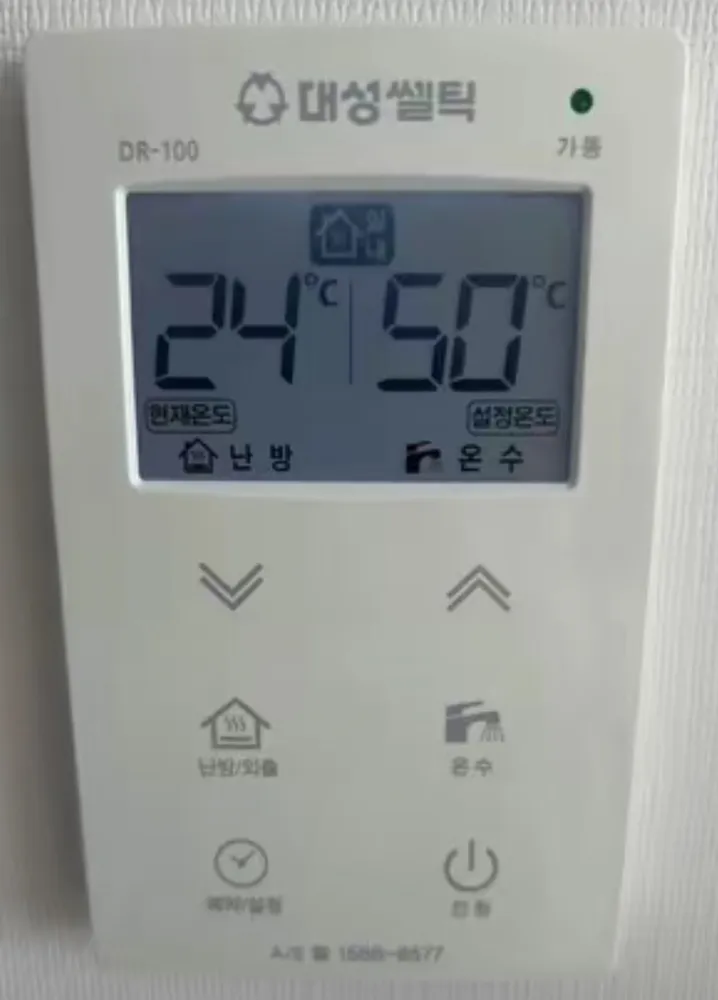
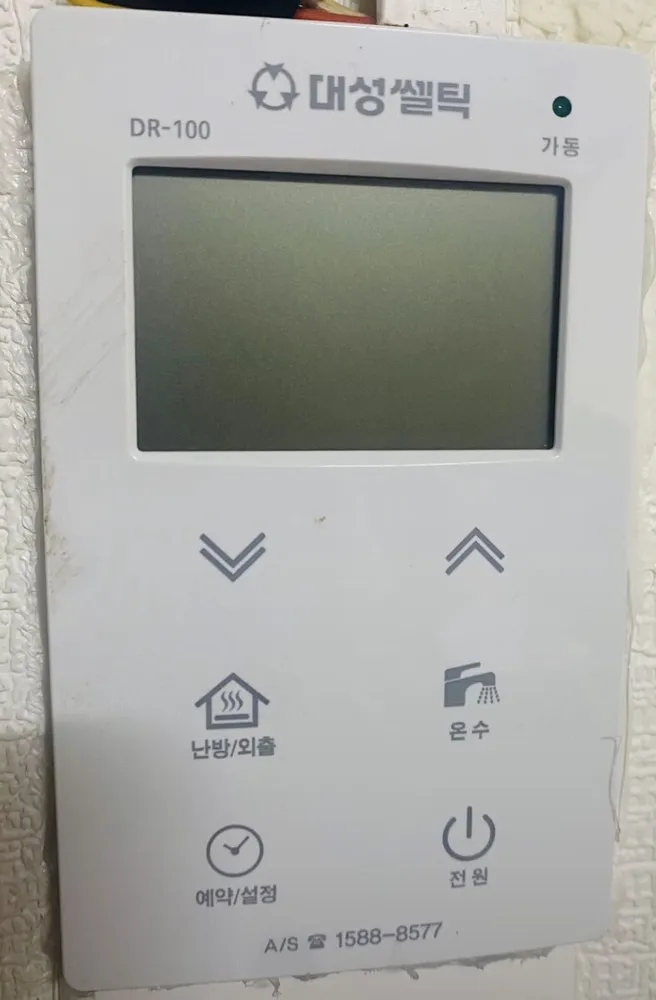
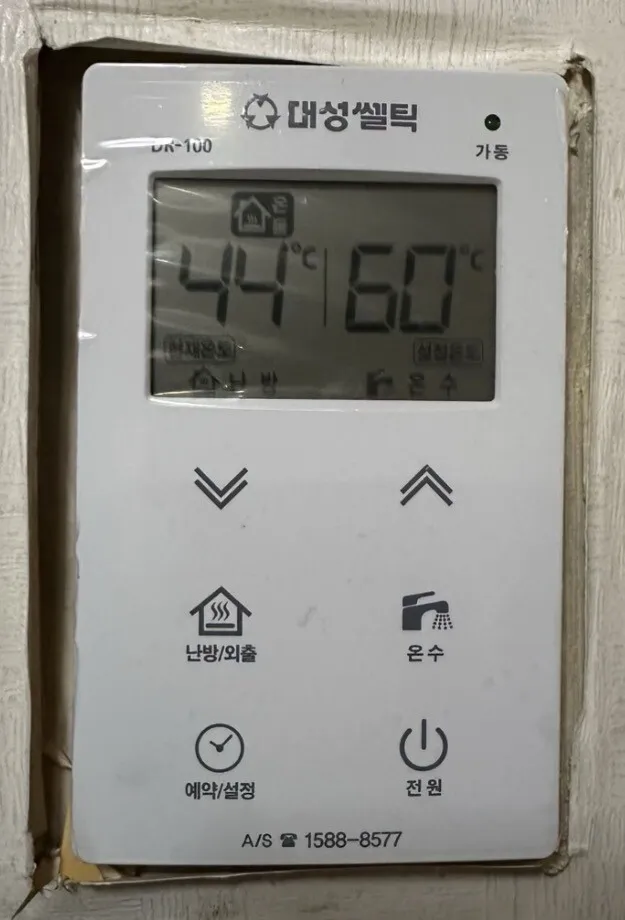
A flat white Daesung touch panel with an LCD on top and six printed touch buttons below; up/down arrows change whatever is blinking.
What does each button do?
1Running lamp · 가동gadongGreen lamp lights when the boiler is heating. The LCD also shows 연소 (burning).
2LCD screen · 표시창pyosichangLeft number = 현재온도 (current temperature); right number = 설정온도 (your setting). Icons show mode (온돌/실내, 외출, 예약, 온수).
3Down · ∨araeLowers the blinking setting (temperature, hours or minutes).
4Up · ∧wiRaises the blinking setting.
5Heating / Away · 난방/외출nanbang/oechulEach press steps through heating, Away and hot-water-only. Also cancels the timer.
6Hot water · 온수onsuMakes the hot-water setting blink so you can change it with ∧ ∨.
7Timer / Set · 예약/설정yeyak/seoljeongStarts the repeating timer: first press sets the gap (1–12 h), second press sets the run time (5–60 min).
8Power · 전원jeonwonTurns the controller on or off.
What setting should I use?
Floor mode (온돌) at 60°C while home; timer 3 h / 20 min when out for the day in winter; hot water 45°C.
How do I…?
Turn it on
1Touch 전원 (bottom right). The LCD and green 가동 lamp area come on.
Heat the room to a set temperature
1Check the LCD shows 실내. If it shows 온돌: touch 전원 to switch off, then hold 예약/설정 and 온수 together for 5 seconds until it shows 실내.
2Touch 전원 to switch back on, then touch 난방/외출 until the heating icon shows.
3Touch ∧ or ∨ to set 22 (range 10–40°C). It saves by itself after a moment.
Use floor (ondol) mode
1If the LCD shows 실내: touch 전원 to switch off, then hold 예약/설정 and 온수 together for 5 seconds until it shows 온돌.
2Touch 전원 on, touch 난방/외출 until the 온돌 icon shows.
3Touch ∧ ∨ to set 60 (range 50–80°C).
Leave for a few days
1Touch 난방/외출 repeatedly until the 외출 icon shows.
2To cancel, touch 난방/외출 again.
Run on a timer
1Touch 예약/설정. The 예약 icon shows.
2Touch ∧ ∨ to set the gap: 1 to 12 hours.
3Touch 예약/설정 again, then ∧ ∨ to set run time: 5 to 60 minutes.
4Example: 3 h + 20 min = heats 20 min, rests 3 h, repeats. Heating water is fixed at 80°C during runs.
5To cancel, touch 난방/외출.
Hot water only (summer)
1Touch 난방/외출 repeatedly until the LCD shows only the hot-water setting.
2Heating is off; the boiler fires only when you open a hot tap.
Change the hot-water temperature
1Touch 온수. The hot-water setting blinks.
2Touch ∧ ∨: 37–45°C in 1°C steps, 45–60°C in 5°C steps.
3Touch 난방/외출 afterwards to go back to heating mode.
Turn it off
1Touch 전원.
What do the words on the screen mean?
현재온도
Current temp
What the boiler measures now (floor water in 온돌 mode, room air in 실내 mode).
설정온도
Set temp
Your target.
온돌
Floor mode
Heats by floor-pipe water temperature, 50–80°C.
실내
Room mode
Heats by room-air temperature, 10–40°C.
연소
Burning
Boiler flame is on.
외출
Away
Heating off; freeze protection only.
예약
Timer
Repeating timer is active.
점검
Check
Shown with an error code when the boiler has a fault.
What trips people up on this model?
Switching between 온돌 and 실내 only works with the power OFF (hold 예약/설정 + 온수 for 5 s).
The boiler only runs when 설정온도 is higher than 현재온도.
After changing hot water, touch 난방/외출 or heating may stay off.
In 외출 the boiler does not heat. Daesung boilers have built-in freeze protection (pipe water at 7°C or below triggers a run up to 40°C), but only while the boiler is plugged in and the gas valve is open.
It shows an error. Now what?
Faults show as a code plus the 점검 icon on the LCD. Note the code and call 1588-8577.