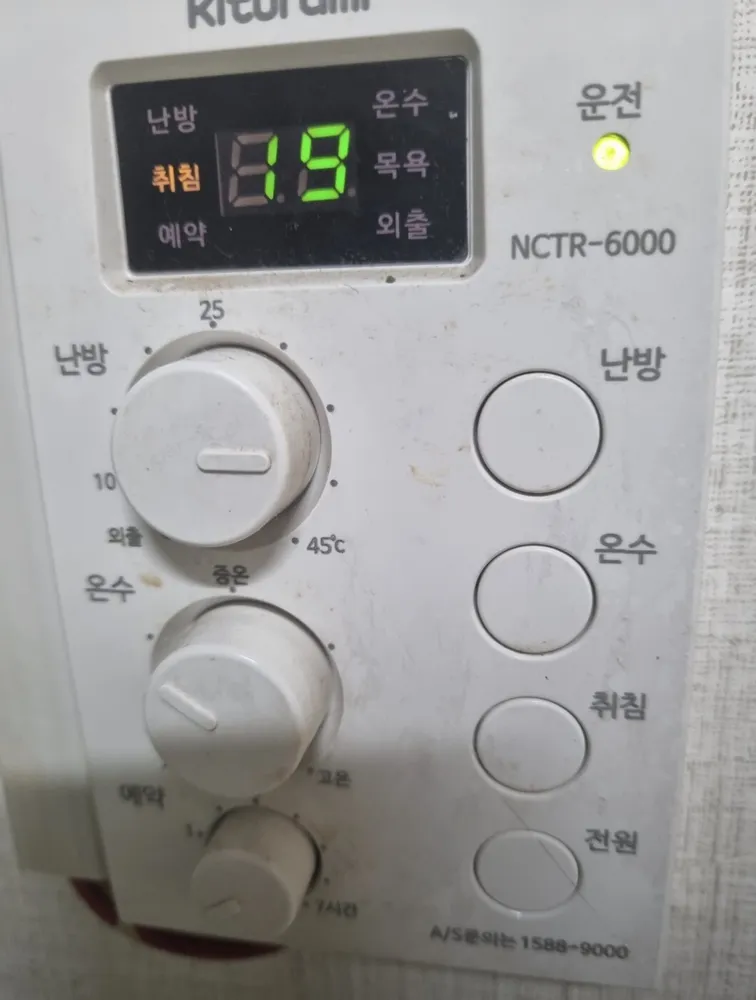
Turn it on
- 1Press 전원 (bottom right).
- 2The 운전 light comes on when the boiler is allowed to run.
A Kiturami controller with three knobs on the left (room temp, hot water, timer) and four round buttons on the right.
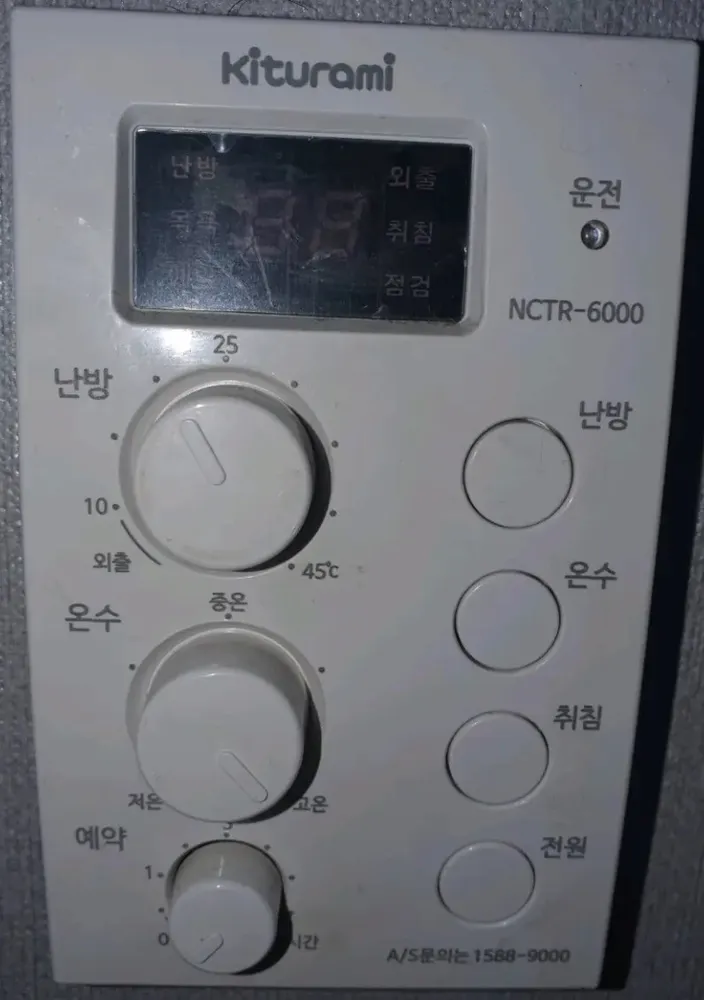
Winter: 난방 button, heating knob at about 22, 예약 knob at 0, 온수 knob at about 42°C (between 저온 and 중온). Nights: optional 취침. Out for days: knob into 외출.
| 난방 | Heating | Normal room heating is on. |
|---|---|---|
| 취침 | Sleep | Night saving, auto-returns after 5 h 30 min (lit in photo 70). |
| 예약 | Timer | Repeat timer is on. |
| 온수 | Hot water | Hot-water setting shown/active. |
| 목욕 | Bath | Bath boost, 2 h 30 min. |
| 외출 | Away | Frost protection. |
| 점검 | Check | Boiler needs checking — an error code is showing. |
| number (e.g. 19) | Temperature | Current room temp, or the setting you are changing (flashes). |
| S1 / S2 | Heating method | Only in the setup menu: S1 = room-sensor mode, S2 = floor (온돌) mode. |
When 점검 lights, an error code shows in the number area. Press 전원 off/on to restart (3 tries max, then wait 5 min). If it returns, call 1588-9000 with the code.
Service line (Korean): 1588-9000