Encender
- 1Press 전원. The display lights up.
A six-button Navien controller with an LCD: press 난방 to cycle modes and use + / − to set the number.
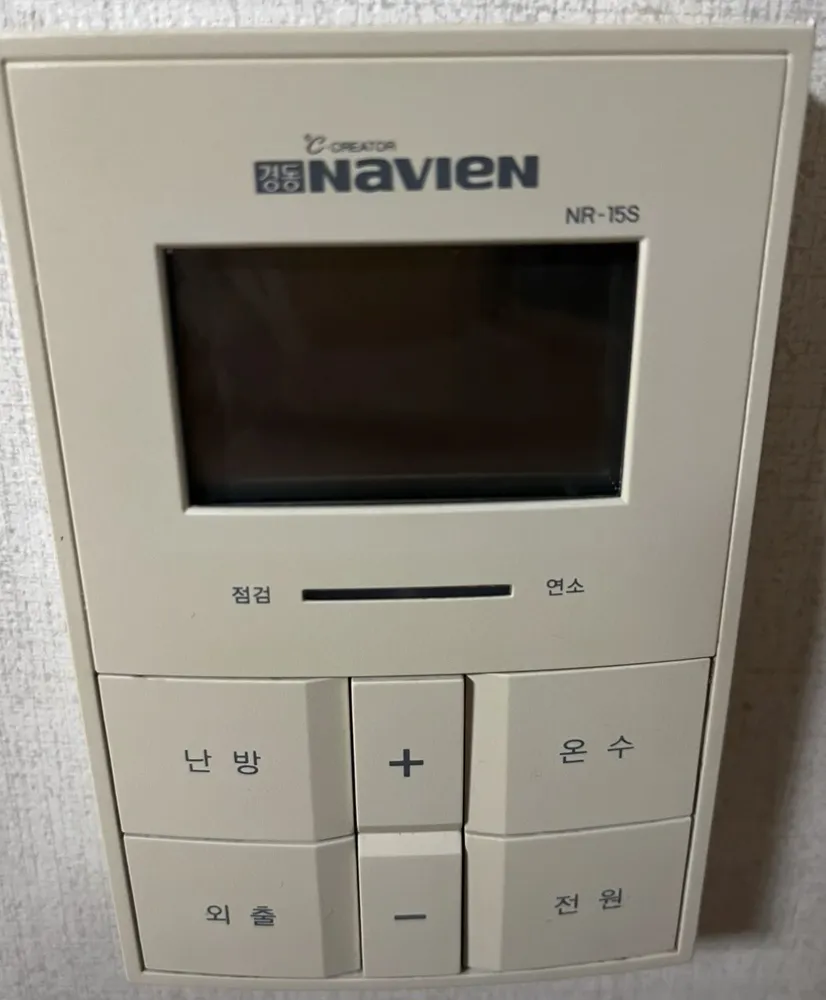
실내 at 21–23°C; hot water 45°C. For trips, 외출.
| 실내 | Room-air mode | Heats to a room air temperature (10–40°C). |
|---|---|---|
| 온돌 | Floor mode | Heats the floor water to a set temperature (30–60°C or 40–80°C, depending on the boiler). |
| 예약 | Timer | The number is the hours of pause between heating runs (0–12). |
| 외출 | Away | Heating is off; hot water and frost protection stay on. |
| 현재온도 / 희망온도 | Current / target temperature | Room temperature now, and the temperature you set. |
| 온수온도 | Hot-water temperature | Blinks while you set hot water. |
| 빠른온수 | Quick hot water | Pre-heating for faster hot water; ends by itself after 10 min. |
| 온수예열 | Hot-water pre-heat | Keeps water warm in winter (only on some condensing boilers). Hold 온수 for 2 s to switch on or off. |
| 연소 / 점검 | Burning / Check | Light bar under the screen: burning = boiler firing, check = fault. |
A fault lights the 점검 end of the light bar. Note any code on the display and call 1588-1144.
Servicio técnico (coreano): 1588-1144