Turn it on
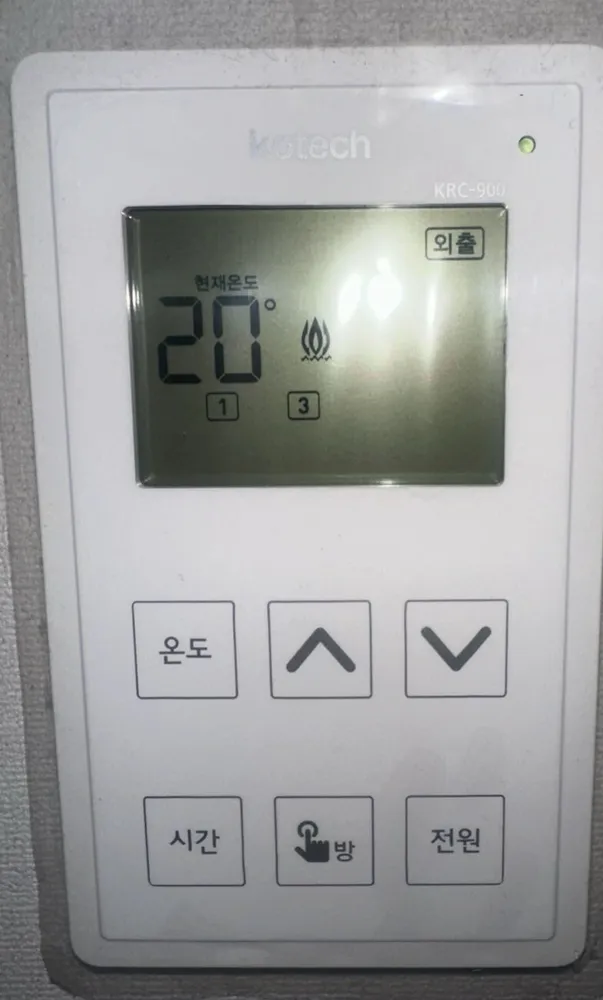
- 1Press 전원 (on the dial version: 외출) once.
- 2The screen lights up and shows 현재온도 (current) and the set temperature.
A per-room wall thermostat from a Kotech multi-room (각방) system: each room has one, the living-room unit is the master, and you mostly just set a target room temperature with ∧/∨.
Temperature mode, 20-22°C in rooms you use, 18°C in empty rooms. Use Away (5°C) for trips instead of pulling any plug.
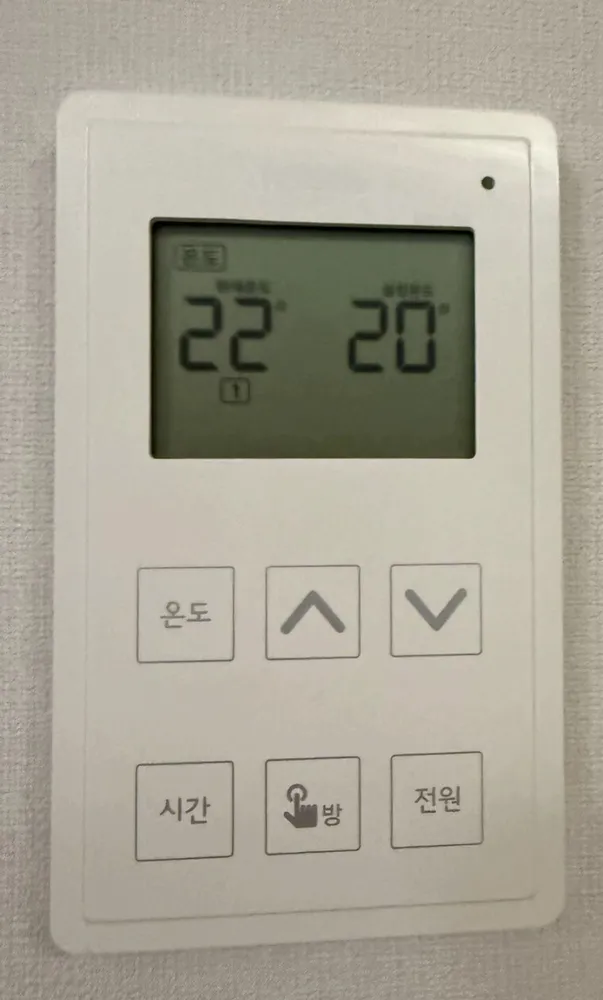
| 현재온도 | Current temp | Measured room air temperature. |
|---|---|---|
| 설정 | Set | Your target temperature (shown on the right when in temperature mode, e.g. photo 25 shows 22 now / 20 set). |
| 온도 | Temperature mode | Box lit at top-left of the screen = temperature mode is active. |
| 시간 | Timer mode | Timer (cycle) mode active; the screen shows hours (시) and minutes (분). |
| 외출 | Away | Room held at 5°C (frost protection only). |
| 🔥 + room box | Heating | Valve open / boiler or district water flowing to that room. Room box without flame = that room is not heating. |
| Lo | Frost protection | Room fell below 5°C, so the system heats automatically until about 8°C. |
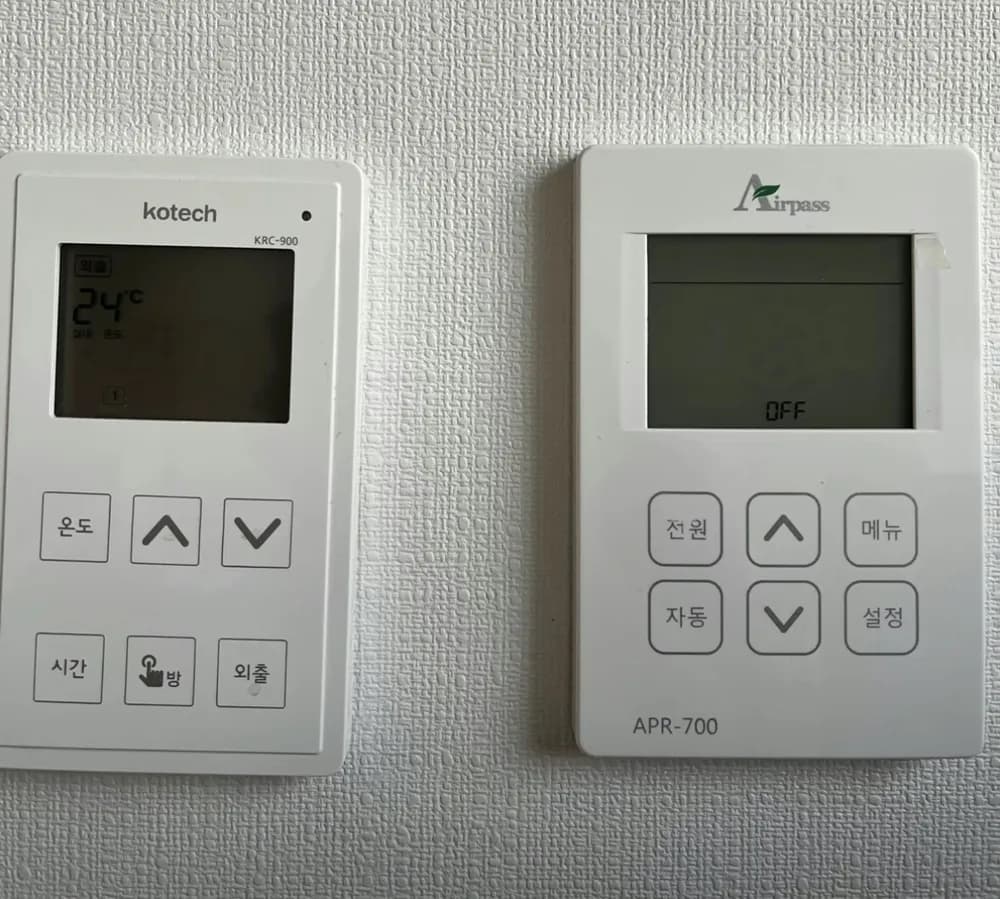
| OFF | System off | All rooms switched fully off from the living-room unit (no heating, no hot-water control). |
If the screen is blank, check that the valve control box under the sink is plugged in. If its lamp is on and the room is still cold, the actuator or valve has likely failed: that needs a repair visit.
Service line (Korean): Not printed on panel. Kotech HQ: 031-730-0490 (from the manual).
Read the full Korean heating guide →