Navien NR-40S 英文说明

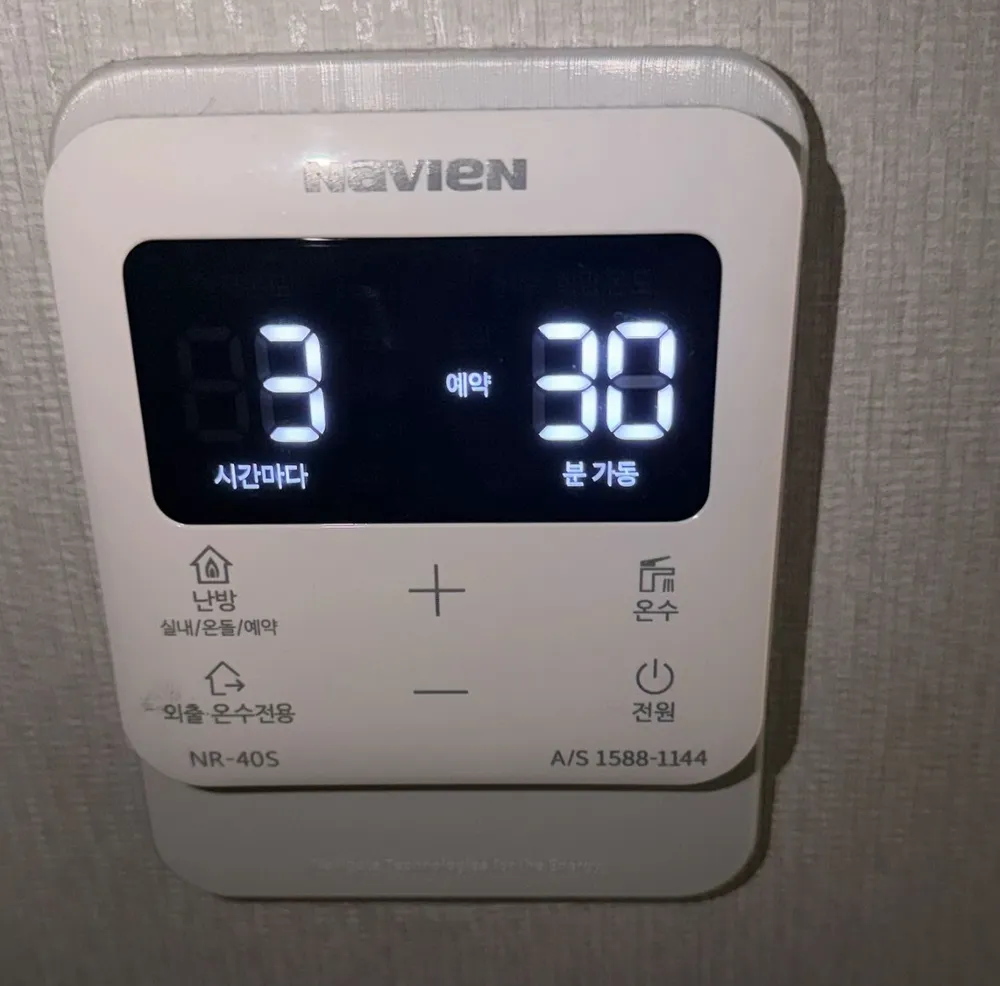
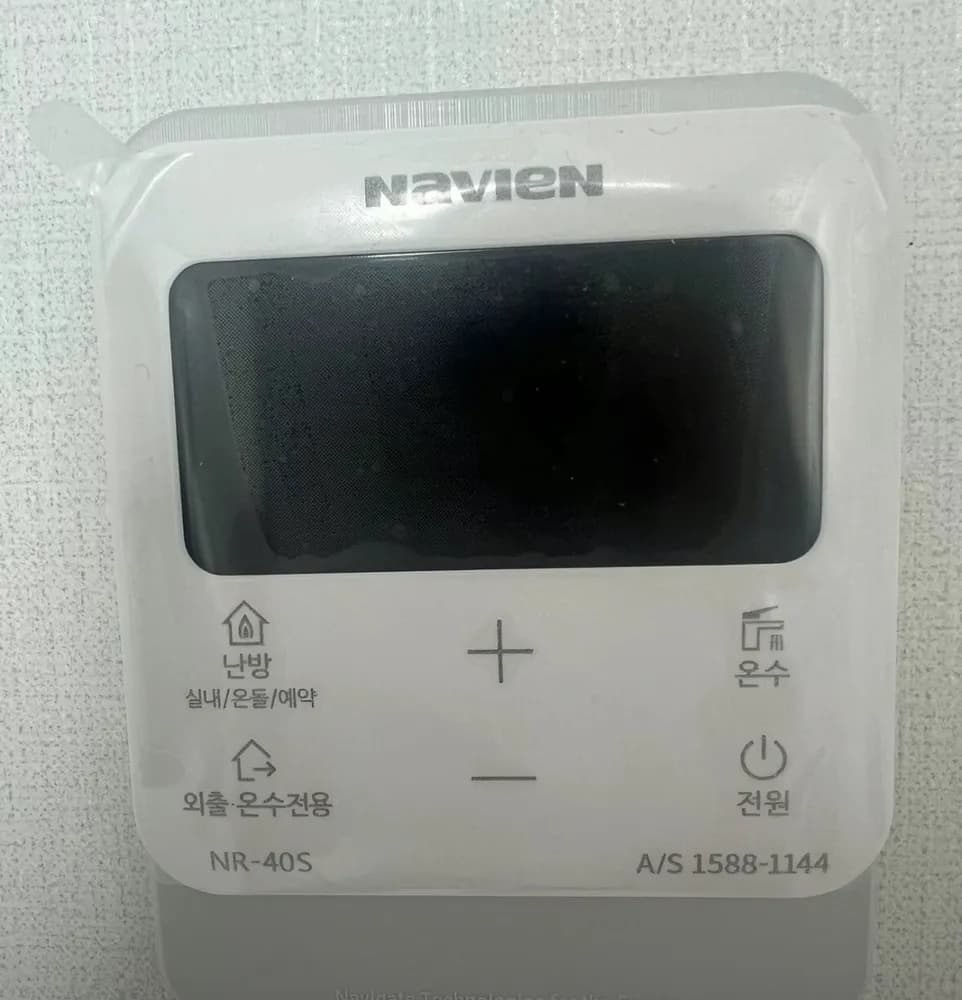
A modern flat Navien controller with a black screen and six touch-style buttons: 난방 cycles room / floor / timer, and + / − set the numbers.
每个按钮是做什么的?

首尔住宅里的 Navien NR-40S 锅炉控制面板
  1. 1Every __ hours · ○ 시간마다sigan madaIn timer mode: hours between heating runs (3 here).
  2. 2Timer on · 예약yeyakShows that timer mode is active.
  3. 3Run __ minutes · ○○ 분 가동bun gadongIn timer mode: minutes of heating each time (30 here).
  4. 4Heating mode · 난방 (실내/온돌/예약)nanbang (silnae/ondol/yeyak)Press about 1 s, repeatedly, to step 실내 → 온돌 → 예약. Also cancels Away.
  5. 5Up · +peulleoseuRaises the blinking value.
  6. 6Hot water · 온수onsuPress, then + / − for 30–60°C. Hold about 2 s for quick hot water (10 min).
  7. 7Away / hot water only · 외출·온수전용oechul · onsu jeonyongStops heating; hot water and frost protection keep working. Press 난방 to return.
  8. 8Down · −maineoseuLowers the blinking value.
  9. 9Power · 전원jeonwonOn / off. Off stops heating and hot water.

我该用什么设置?

실내 at 21–23°C, hot water 45°C. For a mostly empty room in cold weather: 예약 every 3 h, 30 min.

怎么……?

开机

  1. 1Press 전원. The screen lights up.

把房间加热到设定温度

  1. 1Press 난방 (about 1 s) until 실내 shows.
  2. 2Press + / − to reach 22. It saves by itself.

使用地暖(ondol)模式

  1. 1Press 난방 (about 1 s) until 온돌 shows.
  2. 2Press + / − to about 55 (range 40–83°C).

离开几天

  1. 1Press 외출·온수전용. 외출 appears.
  2. 2To come back, press 난방. The previous heating returns.

定时运行

  1. 1Press 난방 (about 1 s) until 예약 shows with '00 시간마다 00 분 가동'.
  2. 2While the hours blink, press + / − to set every how many hours (1–24).
  3. 3Press 난방.
  4. 4While the minutes blink, press + / − for run time (10–50, in 10-min steps), then press 난방 to finish. Photo 67 shows every 3 h, run 30 min.

仅热水(夏季)

  1. 1Press 외출·온수전용. On this model, hot-water-only and Away are the same mode.
  2. 2To heat again, press 난방.

调节热水温度

  1. 1Press 온수. The hot-water target blinks.
  2. 2Press + / − to 45. It saves by itself.

关机

  1. 1Press 전원.
  2. 2In winter use 외출·온수전용 instead, so the pipes stay protected.

屏幕上的字是什么意思?

실내 / 온돌 / 예약Room / Floor / TimerActive heating mode.
희망온도Target temperatureThe temperature you set.
○○ 시간마다 ○○ 분 가동Every __ h, run __ minTimer: e.g. '3 시간마다 30 분 가동' = every 3 hours, heat for 30 minutes.
운전RunningThe boiler is heating now.
외출AwayHeating off; hot water and frost protection only.
돼지저금통Piggy-bank iconGas-saving indicator. Nothing to do.
온수 아이콘 깜박임Blinking hot-water iconQuick hot water is on (ends after 10 min).

这款型号有哪些容易踩的坑?

  • To leave Away, press 난방, not 외출 again.
  • In timer mode, 난방 also moves you from hours to minutes and confirms. Pressing it too many times can change mode, so check the screen.
  • To stop heating without 외출, set the target below the current room temperature.

显示错误了。怎么办?

Note any code on the screen and call 1588-1144.

客服电话(韩语):1588-1144
首尔住宅里的 Navien NR-40S 锅炉控制面板

其他 Navien 面板

阅读完整的韩国供暖指南 →

找不到你的面板?

发一张照片给我们。我们会回复你面板的英文说明。

发送即表示你同意我们的隐私政策。

资料来源