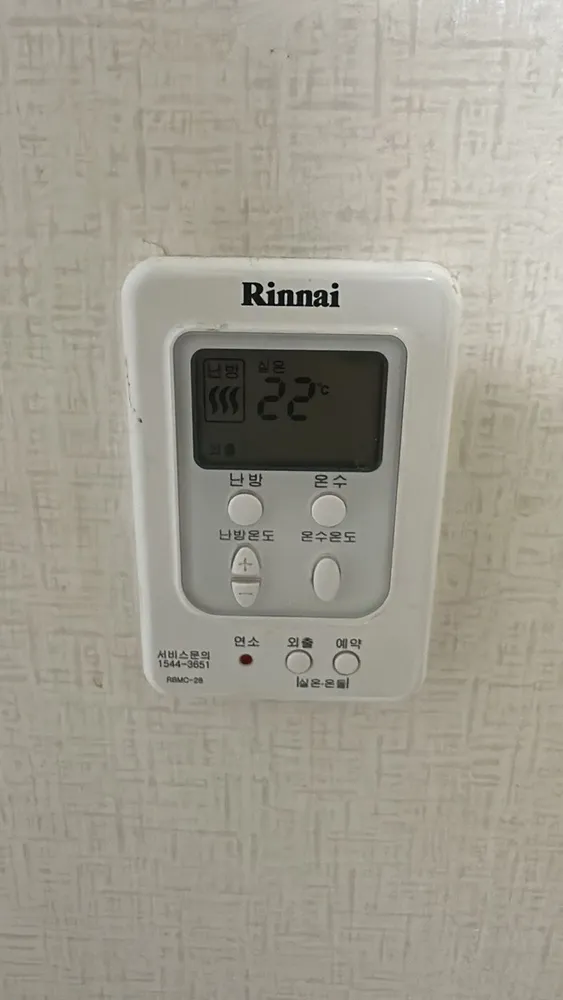
Encender
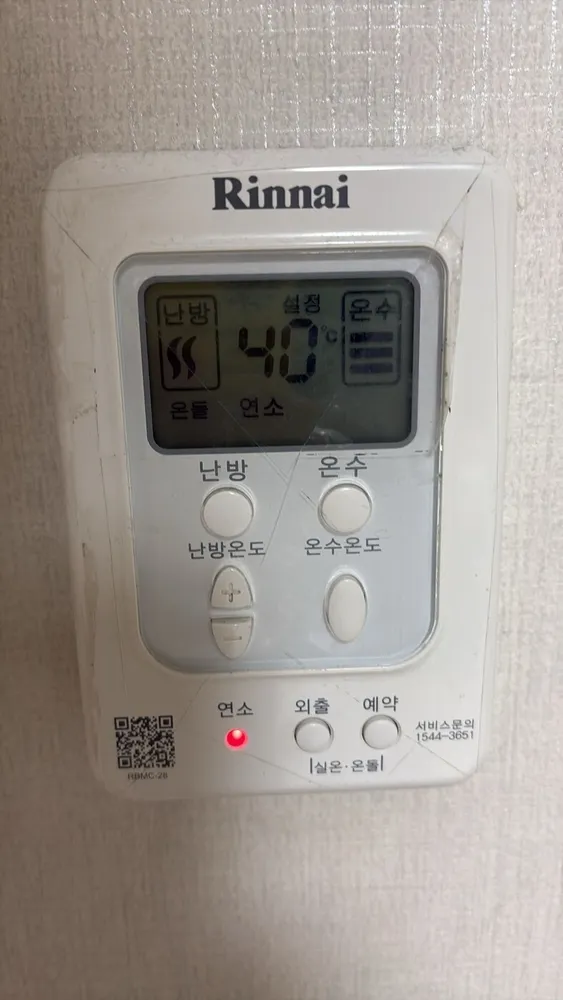
- 1Press 난방. The 난방 icon appears.
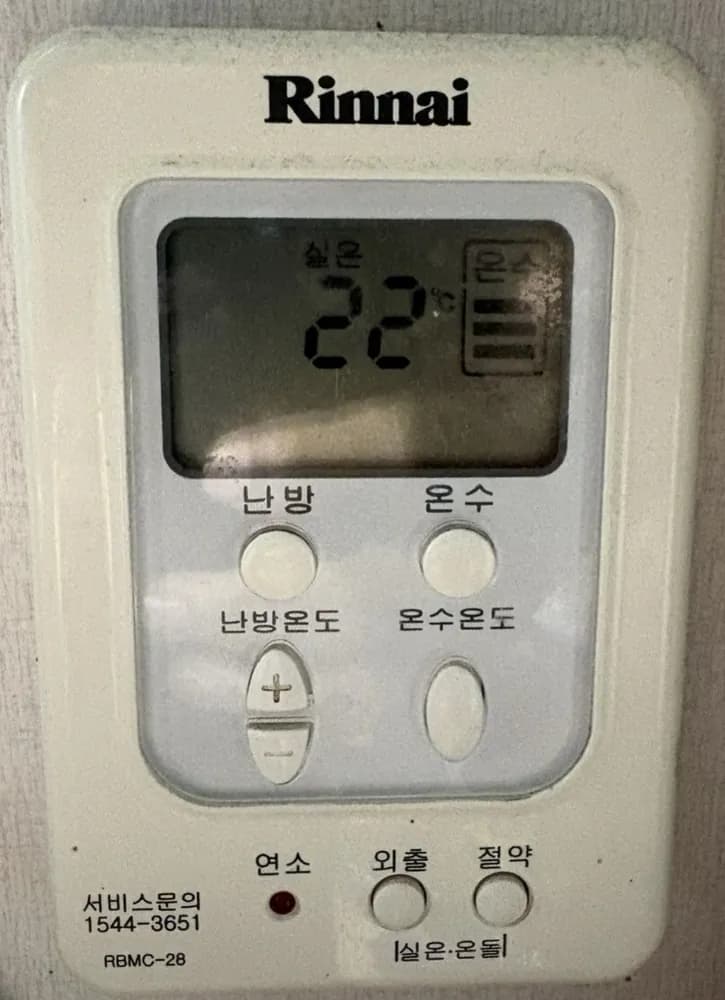
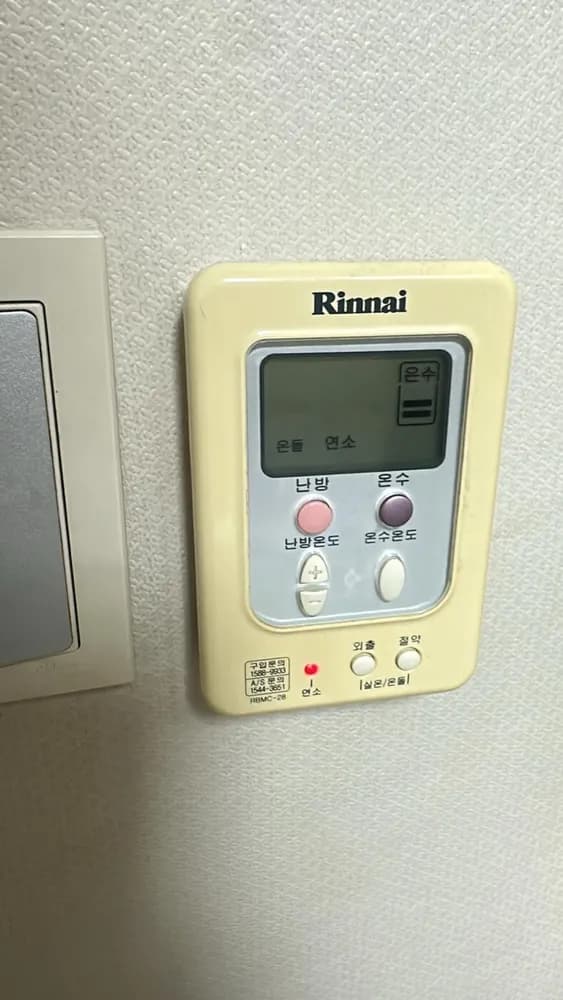
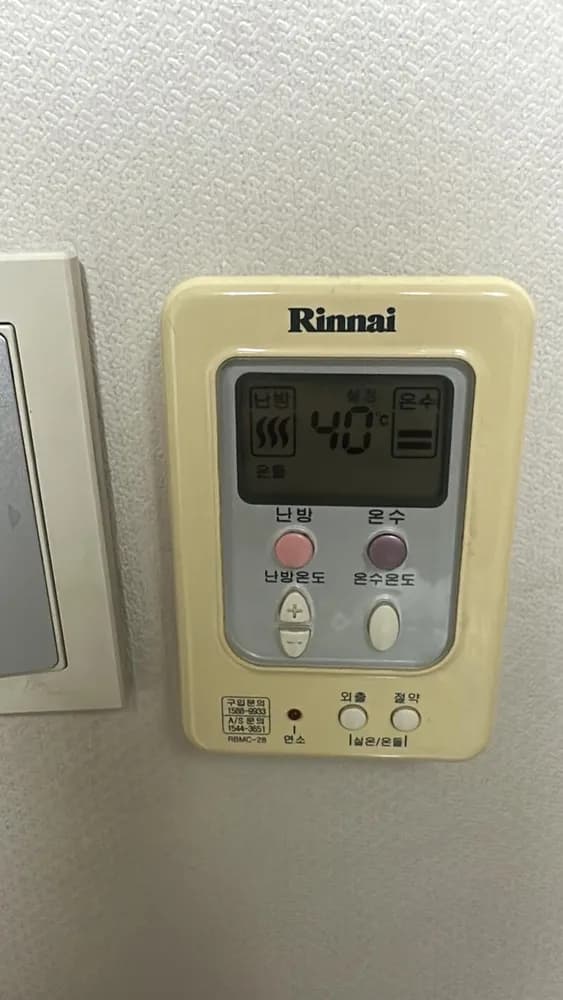
An older grey-screen Rinnai panel: separate 난방 and 온수 buttons, +/− for heating, one hot-water level button, and two small buttons at the bottom (외출 plus 예약 or 절약) that also switch room/floor mode when held together.
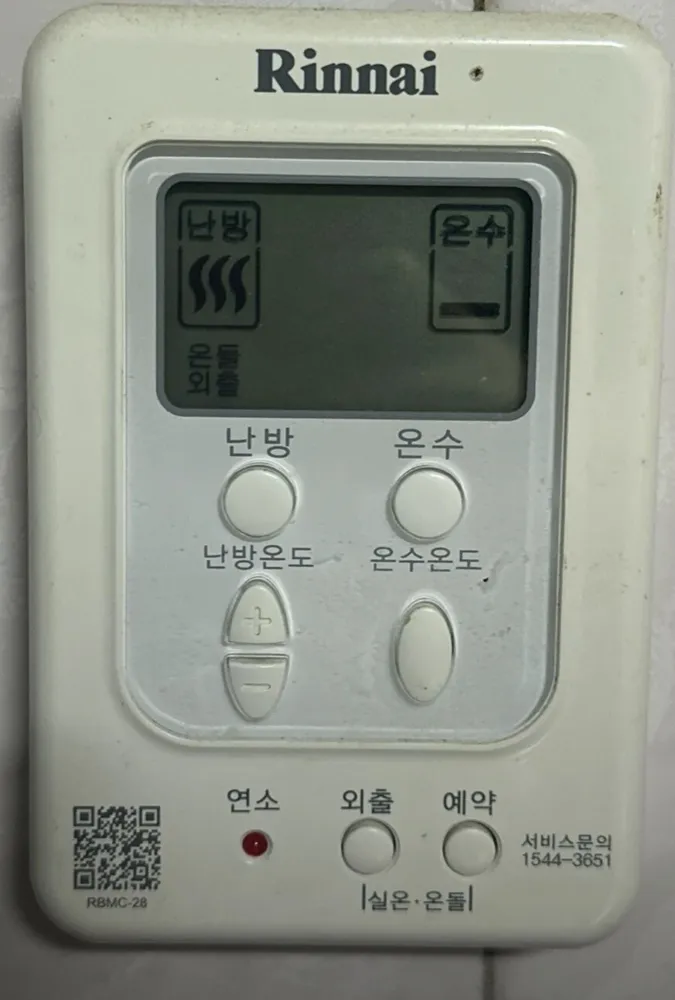
실온 mode at 22°C; hot water at the middle level. 예약 2 h is a good spring/autumn or overnight setting in floor mode.
| 난방 + 물결 | Heating | Heating is on; blinks while burning. |
|---|---|---|
| 온돌 | Floor mode | Target is floor-water °C (40–85). |
| 실온 | Room temp | Room-air mode; the number is the current room temperature. |
| 설정 | Set | The number is the target you are setting (blinks while adjusting). |
| 연소 | Burning | Burner firing (also the red 연소 lamp). |
| 외출 | Away | Away mode on. |
| 예약 30 / 1 / 2 / 3 / 4 | Timer | Timer interval in minutes/hours. |
| 온수 + 막대 | Hot water bars | Hot water on; bars = level. |
If the boiler stops and a number blinks on the screen, read the number. 11 = no ignition: check the gas valve on the pipe is open (handle parallel to the pipe), then switch heating off and on. 14 = overheat cut-out: wait up to 30 min, then switch on again. 16 = water overheating: open at least one floor-zone valve on the manifold and bleed air. Anything repeating: call Rinnai A/S 1544-3651.
Servicio técnico (coreano): 1544-3651